Your home screen
Open Dashboard first. It gives you the fastest path to the main features.
Jeebraac Beta Help
Follow the key screens, learn the main actions, and start using the app with confidence.
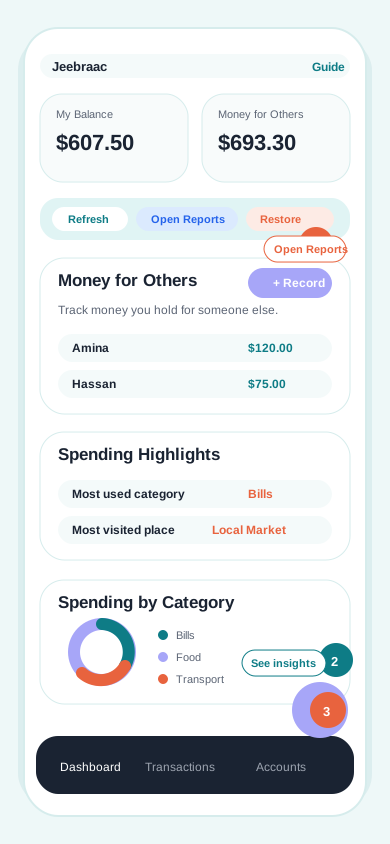
Jump to the part you need.
Quick Start
These are the main things most testers need first.
Open Dashboard first. It gives you the fastest path to the main features.
Money for Others
Use this when you receive money for someone else, not for yourself.
Why this matters
This helps you keep other people's money separate from your own spending.
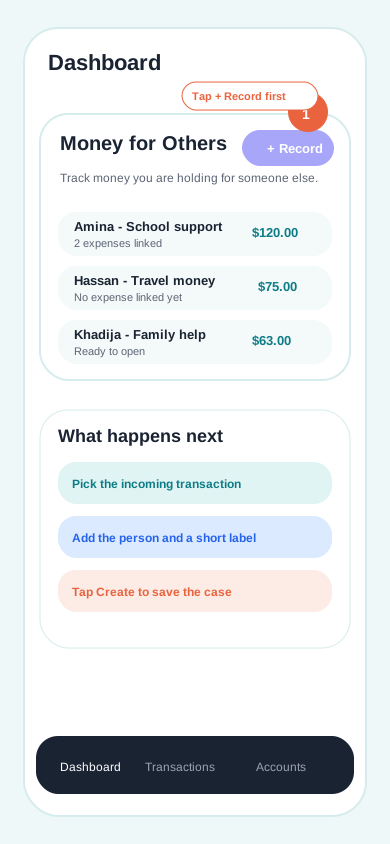
Open Money for Others and tap + Record.
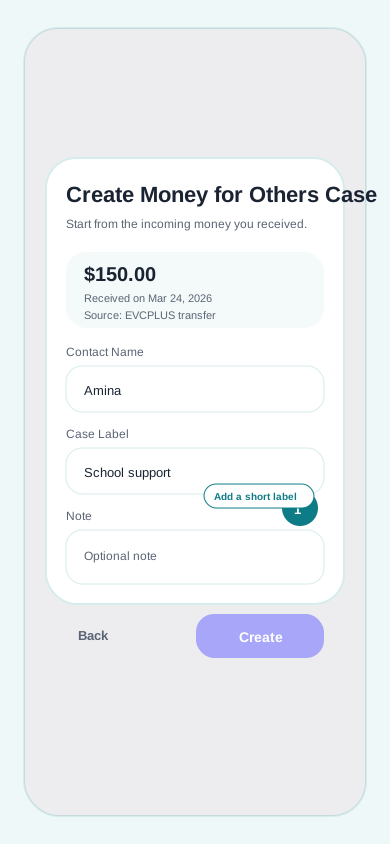
Pick the incoming money, then add the person and label.
When you spend that money, open the expense.
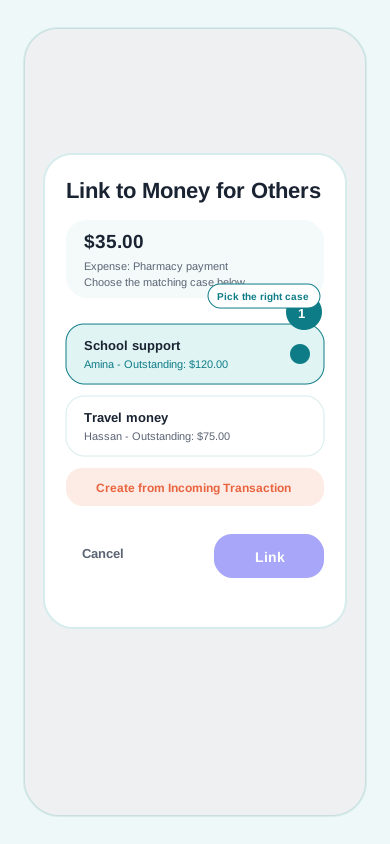
Link it to the right case so the held amount goes down.
Add an expense
Keep this flow simple: tap +, choose Expense, add details, then save.
Use + on Dashboard or Transactions.
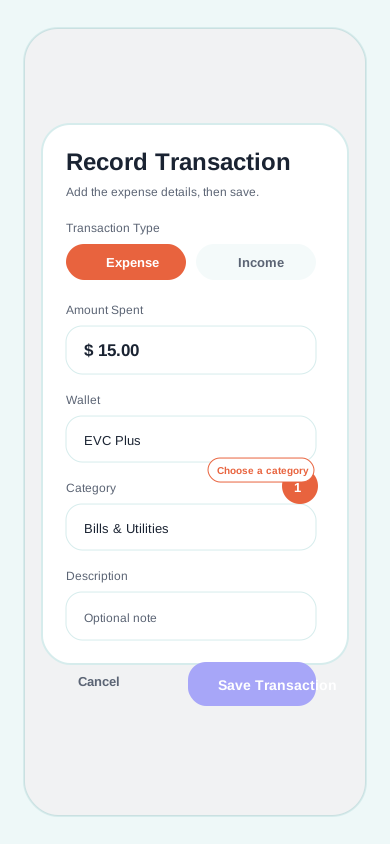
Choose Expense, add details, then tap Save.
See spending
You do not need every report. Start with these two places.
Start on Dashboard to see your top spending.
Tap Open Reports for more detail.
You are ready
You can start testing with confidence.
You know how to track money for others.
You can add an expense anytime.
You know where to check your spending.
If something feels unclear during testing, come back to this page and jump straight to that section.